
Staff & cleaning · Built into Nimbo Stay

Campsite staff timesheets and cleaning, kept tabs on.

Your cleaners and grounds staff use Nimbo Stay on their own phones. They sign in for work, see today’s jobs, tick them off and message each other, and you see it all from the office.

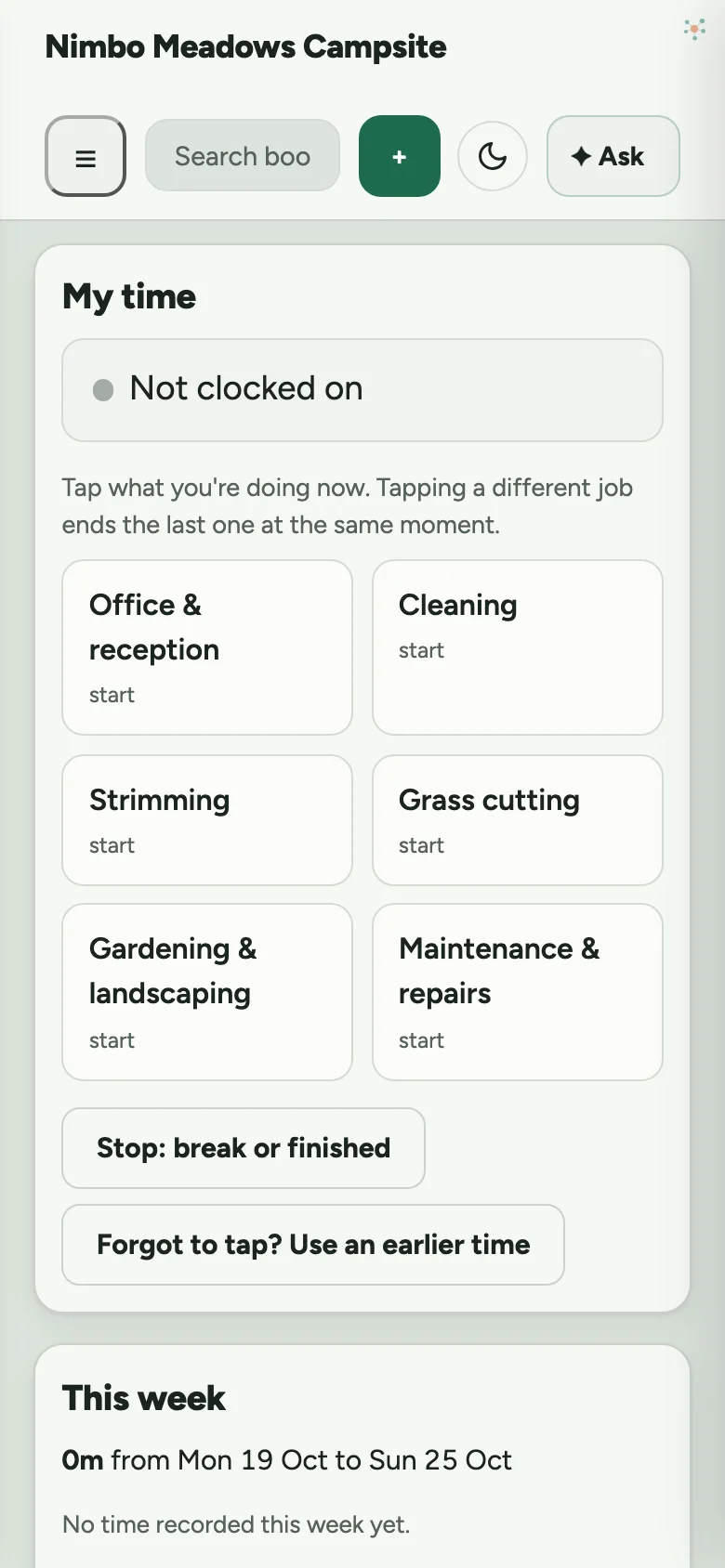
On a phone: Sign in for work. Staff clock on from their own phone, and switch jobs with one tap. Finishing the strimming and starting the cleaning is a single tap.

Sign in for work

Staff clock on from their own phone, and switch jobs with one tap. Finishing the strimming and starting the cleaning is a single tap.

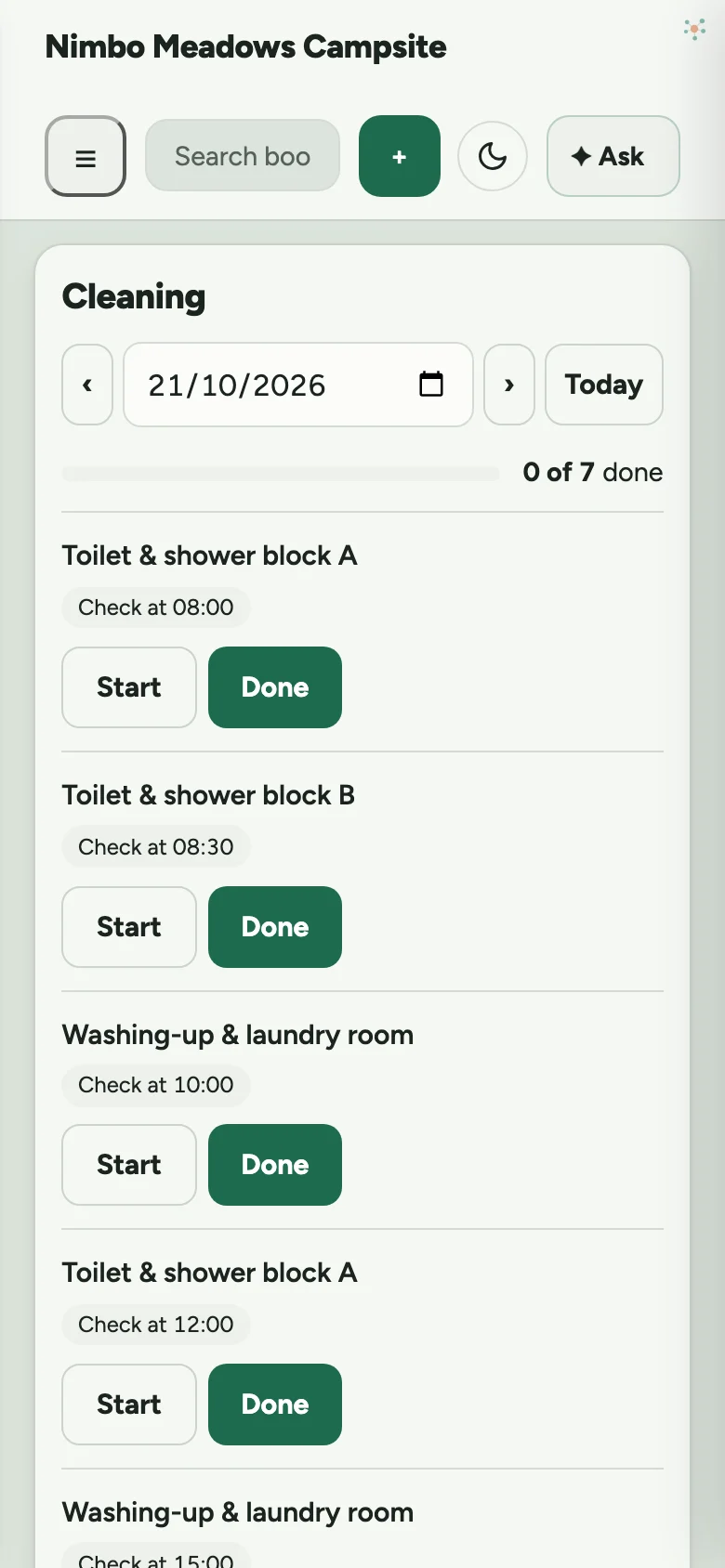
On a phone: Today’s cleaning jobs. The list makes itself from your bookings and timetable. Cleaners tap Start and Done, and report anything broken.

Today’s cleaning jobs

The list makes itself from your bookings and timetable. Cleaners tap Start and Done, and report anything broken.

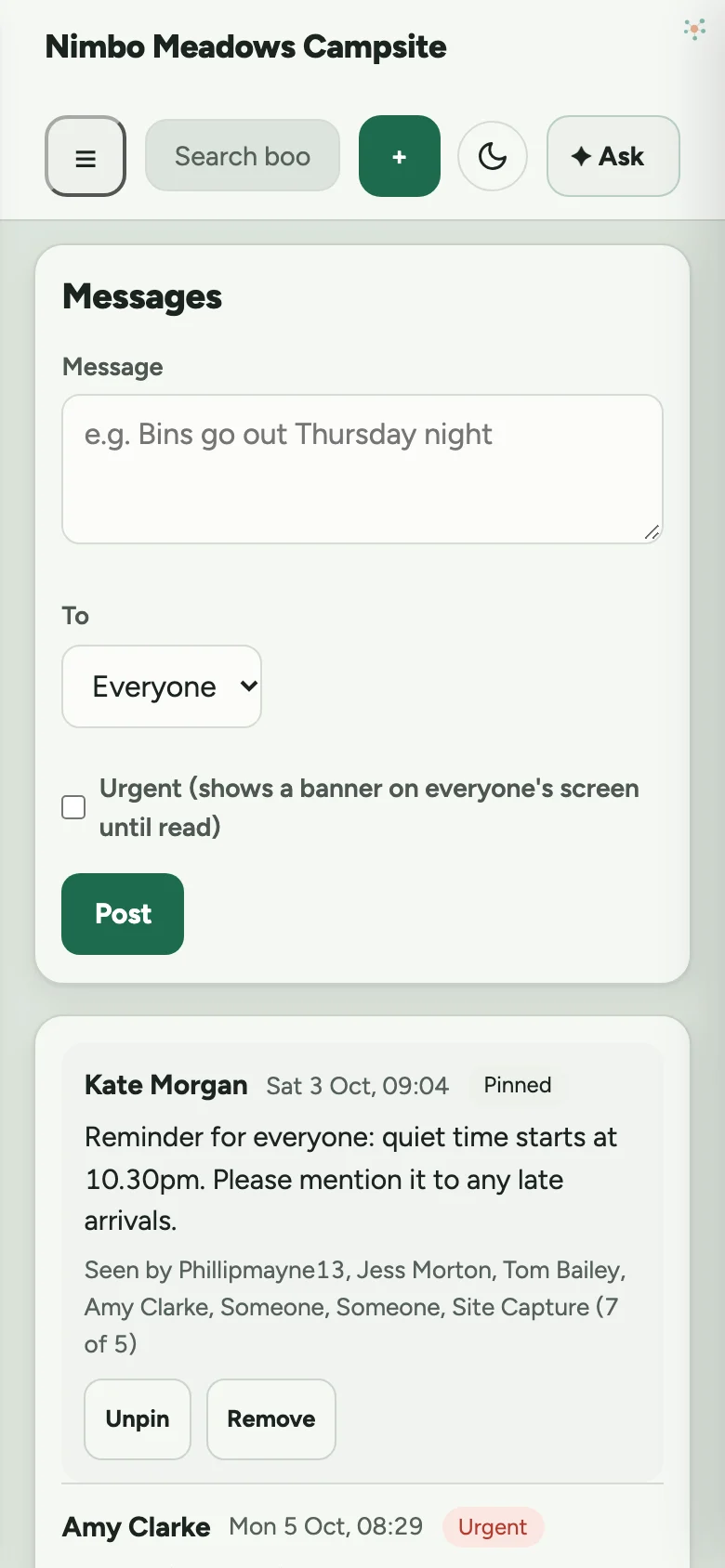
On a phone: Message each other. Post to everyone or just one person, and their phone tells them straight away. Mark it urgent and it stays on everyone’s screen until they’ve read it.

Message each other

Post to everyone or just one person, and their phone tells them straight away. Mark it urgent and it stays on everyone’s screen until they’ve read it.

The cleaning board

  • Changeover cleans appear when a guest leaves a unit, with any unit that has someone arriving the same day put first
  • Toilet and shower block checks come up at the times you set, every day you’re open
  • Add one-off jobs, like jet-washing the bin store, with notes for whoever picks it up
  • Each job shows who started it, who finished it and when
  • Report a repair from the job, and see it through until it’s marked fixed

The board never shows guest names. Cleaners just see which unit is free and whether someone’s due in.

Hours and pay, done for you

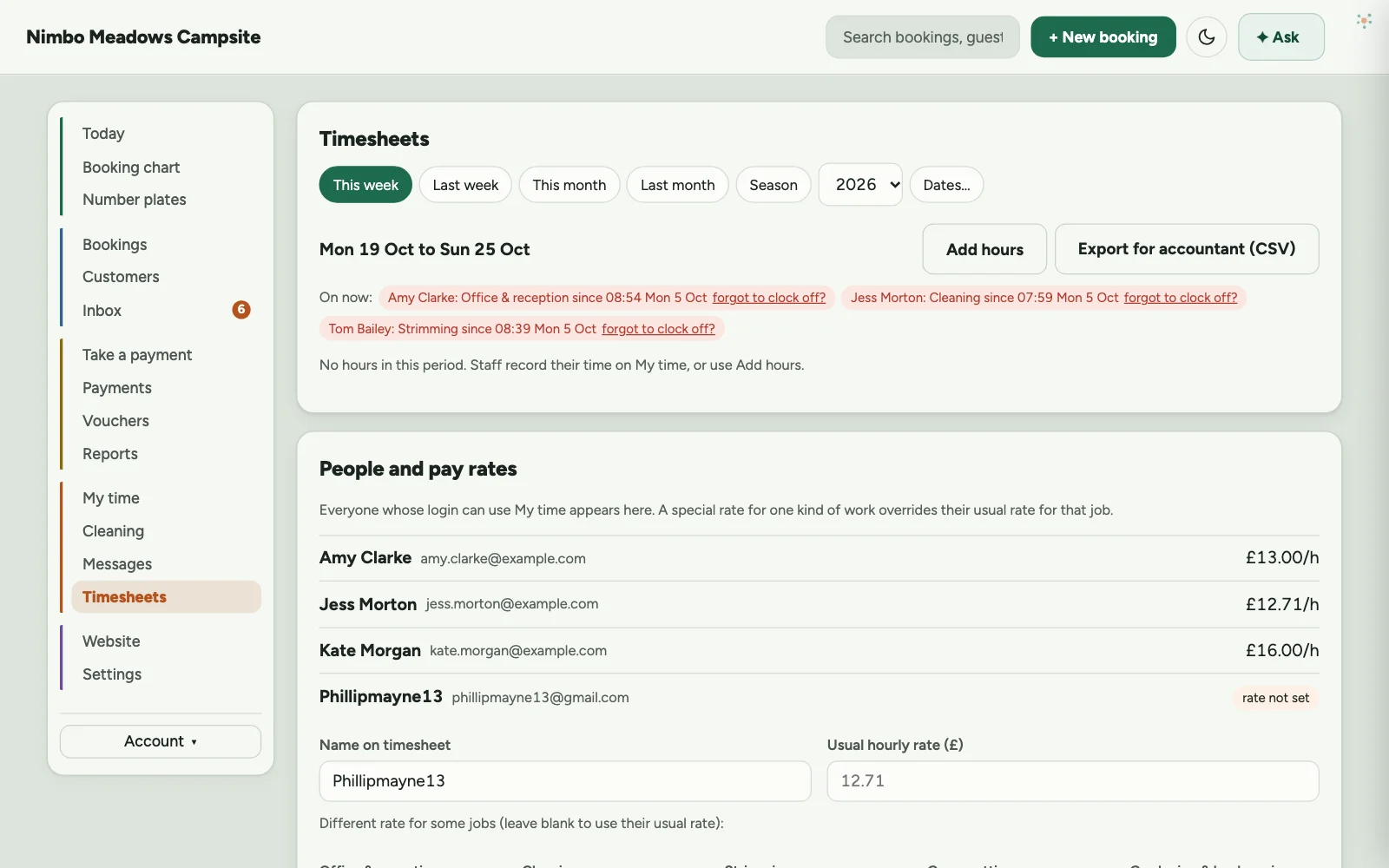
  • See who’s working right now, and on what
  • Everyone’s hours and pay by week, month or season, split by the kind of work
  • A different pay rate for different jobs. Past hours keep the rate they were worked at
  • A clock left running overnight gets caught, and they’re asked when they really finished
  • Export it all for your accountant as a spreadsheet
  • Each person only sees what you give them access to
Timesheets: who's on now, each person's hours and pay for last week, and totals by kind of work.
Last week’s hours: who’s on now, everyone’s time and pay, and the totals for each kind of work.

Before you go

Anything we can help with?

Watch Nimbo Stay work

Real screens on a made-up campsite. Get this for my site →

Esc

Can’t find it? Ask us.