Nimbo Stay · Stay management software

Online campsite booking, and the office behind it.

Guests book online in four short steps, with big buttons and the price showing as they go. Everything they enter lands straight in the diary, the charts and the accounts, so nobody types it in twice.

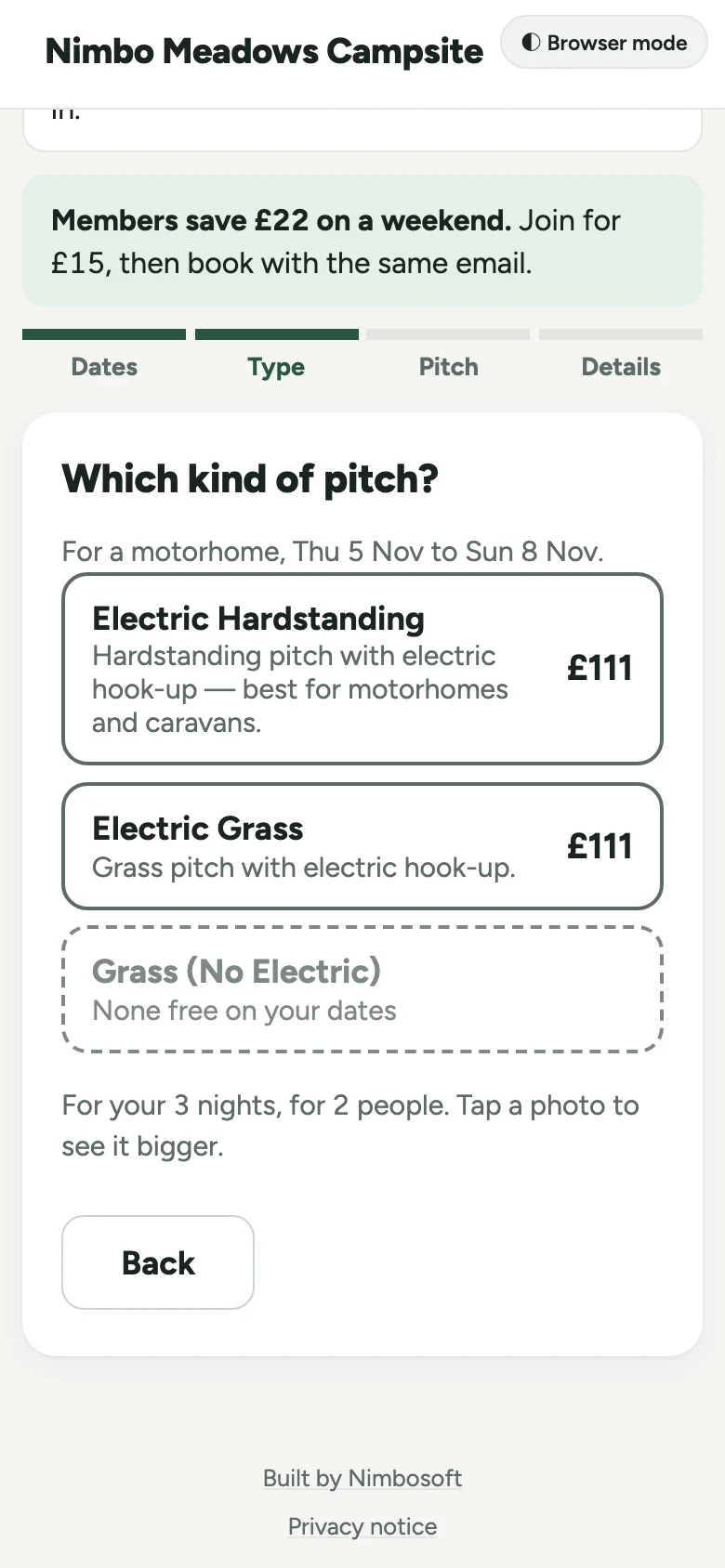
A guest books an electric pitch for a motorhome: dates, pitch type, pitch, who’s coming, their details, then one page to check everything and pay the deposit.
The booking page on a phone, showing step two: each type of pitch with its price for the guest's dates, in large, easy-to-read type.
On a phone, which is how most guests book.

For your guests

  • Book one short screen at a time, with big buttons, clear text and the price showing as they go, so it’s easy at any age
  • Pick dates, pitch type and the exact pitch they want, from a list or your site map
  • Only see pitches that fit their unit, its length and their hook-up needs
  • Pay a deposit by card now, with the deposit rule spelled out before they pay
  • Have the balance taken by itself on the due date if they tick the box, with a reminder 3 days before, or pay it from an emailed link
  • Look up their booking and pay what’s owed from their own booking page
  • Add someone joining for a night, an extra or more nights themselves, from the app or their booking page, priced before they confirm. Taking anything off or shortening the stay still comes to you
  • Guests brought across from your old system sign in with a link we email them, so there’s no password to remember
  • Buy gift vouchers for someone else’s stay

At reception

  • Arrivals, departures and who’s on site today, ready to print
  • Drag a booking to another pitch on the Charts view
  • Take card payments over the phone or on a card reader
  • Sell gas bottles, logs and extras from the shop, with VAT
  • Number plate cameras pick out arriving guests on the Arrivals list
  • Members’ late checkouts flagged on the departures list, so nobody is hurried off
  • The guest’s own notes and your staff-only notes about them shown on the Diary and the booking, so nothing is missed on the day. Clear one away with a tap
  • Ask on the phone booking form if there’s anything they’d like to tell you
  • Add an extra adult, child or dog from the booking for the nights they’re here, priced from your season rates
  • See who’s booking online this minute, with their phone number, and free the pitch at once if they ring with a problem
  • Told straight away when a guest keeps failing to book, so you can ring them before they give up

In the office

  • Occupancy, revenue and booking trends over any period
  • Every stay gets its invoice by itself on its last day, with a VAT export for your accountant
  • Invoices for groups too, like a school’s DofE trip on a field you keep off online booking: it’s held on the chart, and they pay by card from a link, in parts if they like, before they arrive
  • Card payments are matched to the stay by themselves, so there’s nothing to allocate
  • Money that comes in without a booking, like emptying the washing machines and dryers, recorded in seconds and in the VAT export with everything else
  • Refunds go back through Stripe, including keep-the-deposit
  • Two-way calendar sync with Pitchup, Airbnb and other channels
  • Plan next year’s seasons around Easter, bank holidays and school holidays
  • A minimum stay for any day, and busy weeks held back for your regulars
  • A clean, simple menu in colour-coded sections: everyday screens up front, the rarely-used settings folded away
  • The dashboard keeps itself up to date while you work, in a light or a dark look
  • Guests with two records spotted for you and merged in one click, with 30 days to undo, and every email they use leads to the same account
  • Give a guest credit, say to say sorry, and it comes off their next booking by itself

A tour of the screens.

  1. 01

    Booking chart

    Every pitch across the month. Drag a booking to move it; colours show what’s been paid, and members’ club guests stand out in purple.
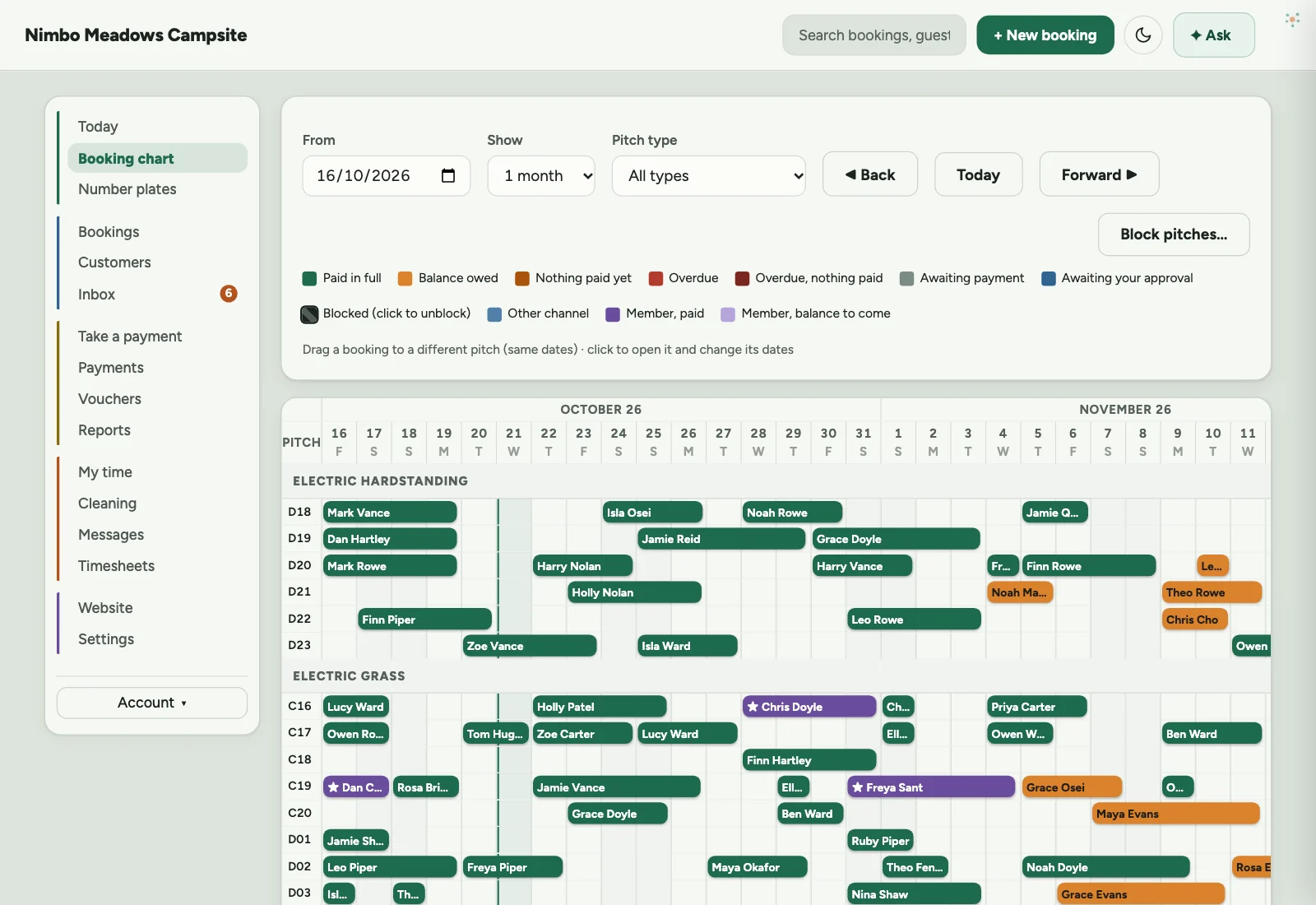
    Nimbo Stay: Booking chart screen. Every pitch across the month. Drag a booking to move it; colours show what’s been paid, and members’ club guests stand out in purple.
  2. 02

    Today

    Arrivals, departures, who’s on site and occupancy at the top. Below, who’s booking online this minute, anyone having trouble, and what’s owed.
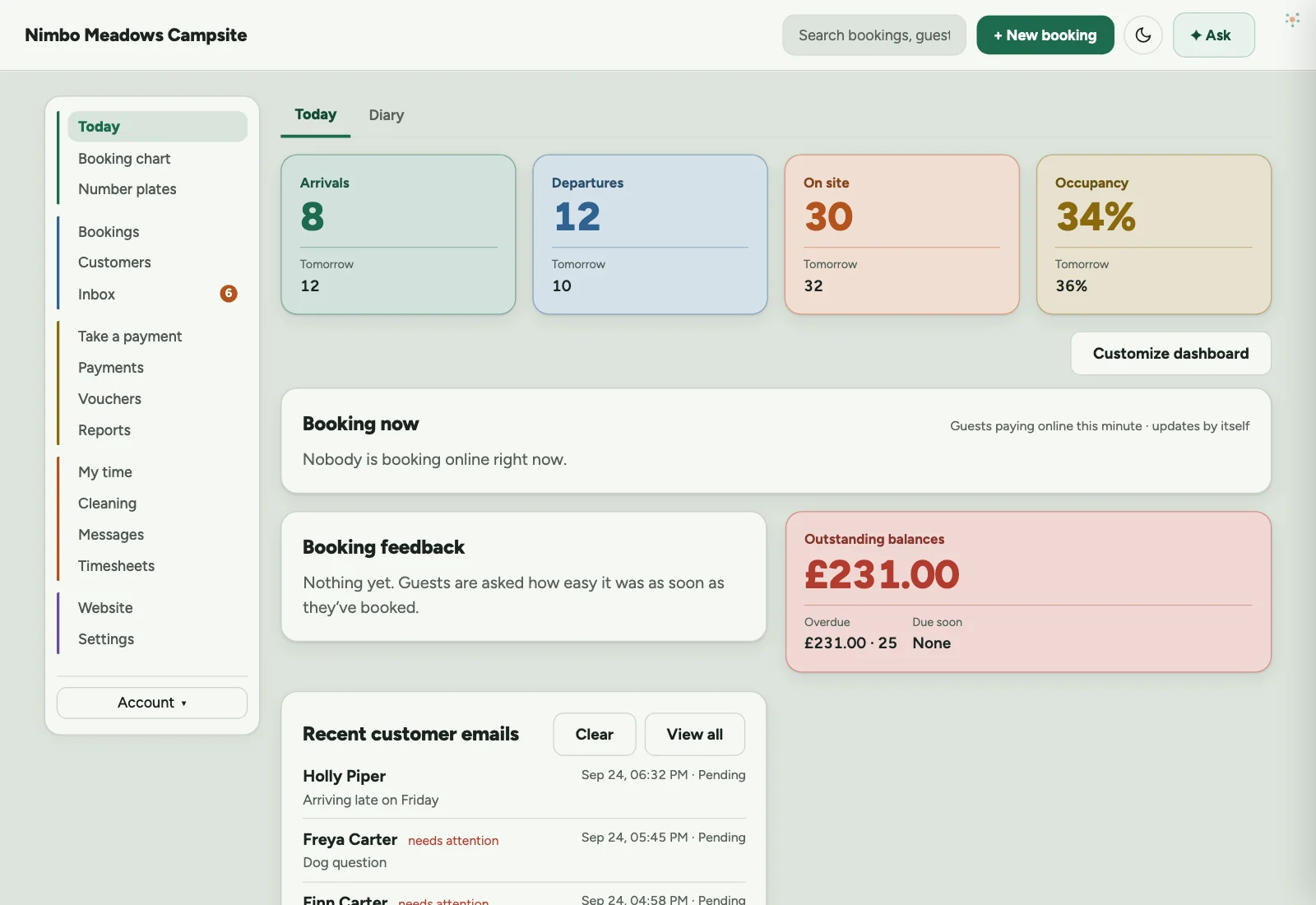
    Nimbo Stay: Today screen. Arrivals, departures, who’s on site and occupancy at the top. Below, who’s booking online this minute, anyone having trouble, and what’s owed.
  3. 03

    Diary

    Today’s arrivals, ready to print, with the guest’s note and your staff-only note on each. Camera check-in and check-out are switched on here, for the hours you choose.
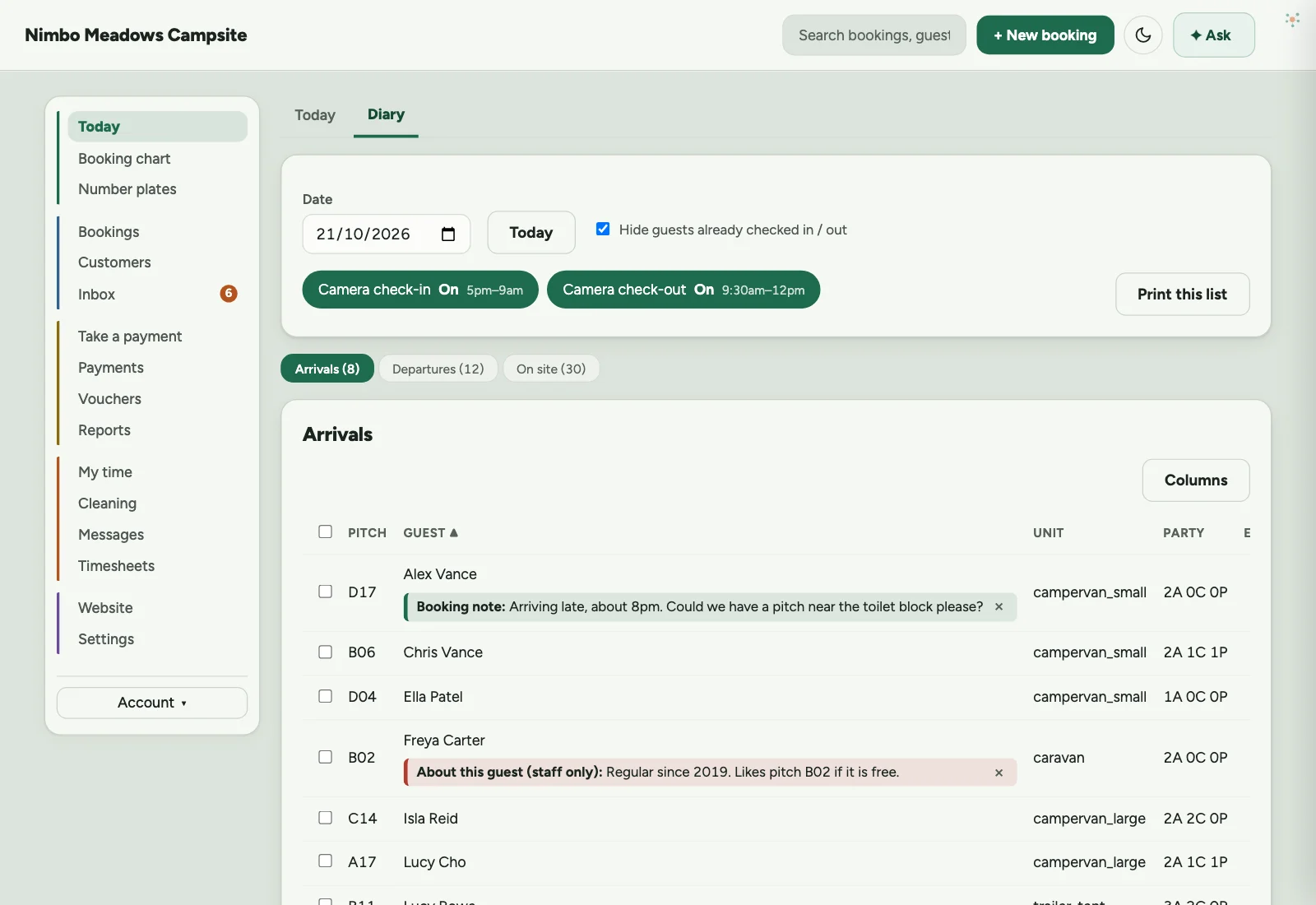
    Nimbo Stay: Diary screen. Today’s arrivals, ready to print, with the guest’s note and your staff-only note on each. Camera check-in and check-out are switched on here, for the hours you choose.
  4. 04

    All bookings

    Click a booking and it opens beside the list in short coloured sections, all closed until you need one: stay, money, guest, extras and history.
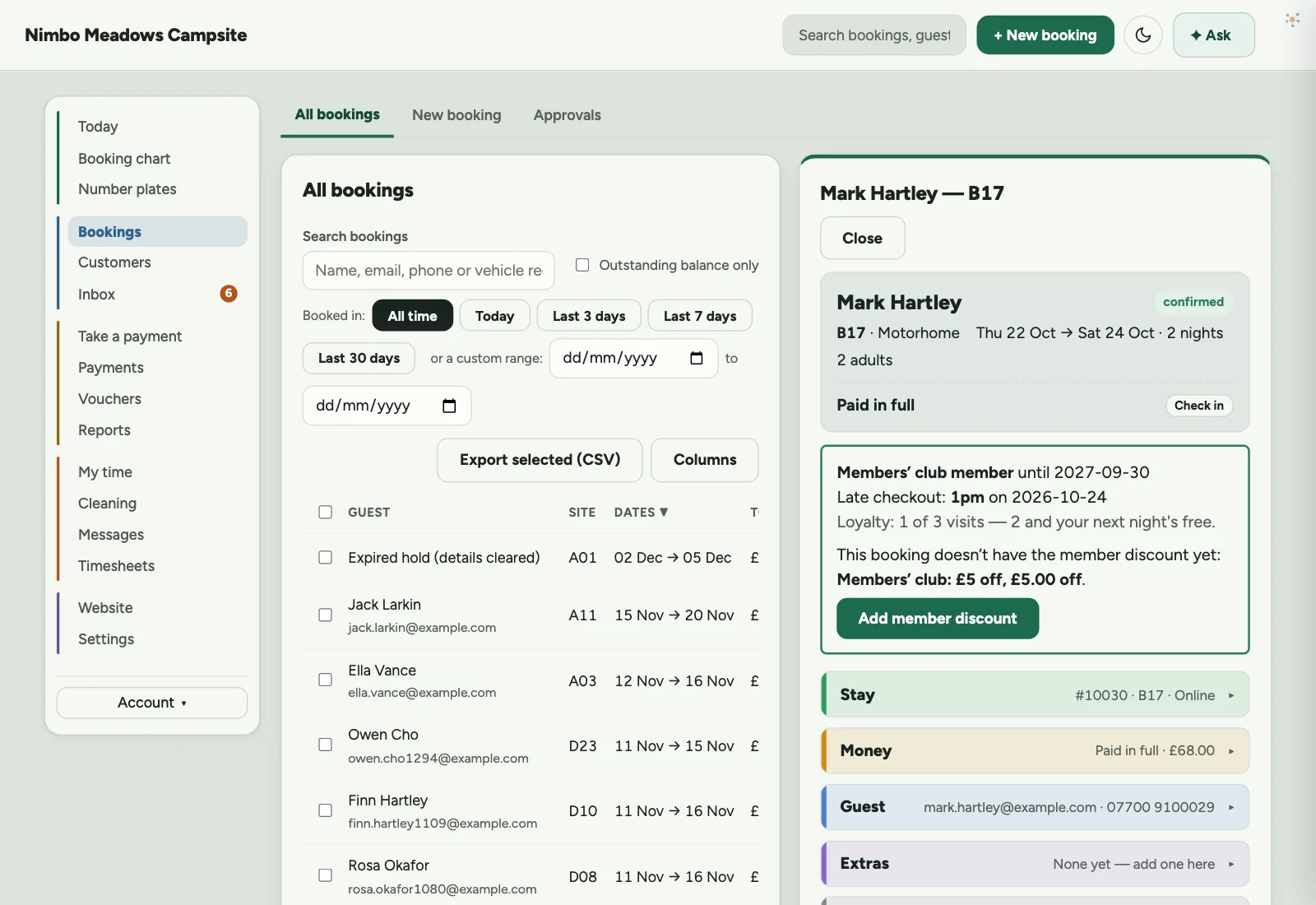
    Nimbo Stay: All bookings screen. Click a booking and it opens beside the list in short coloured sections, all closed until you need one: stay, money, guest, extras and history.
  5. 05

    Add people

    Someone joining for the weekend? Add an extra adult, child or dog for just those nights, priced from your season rates.
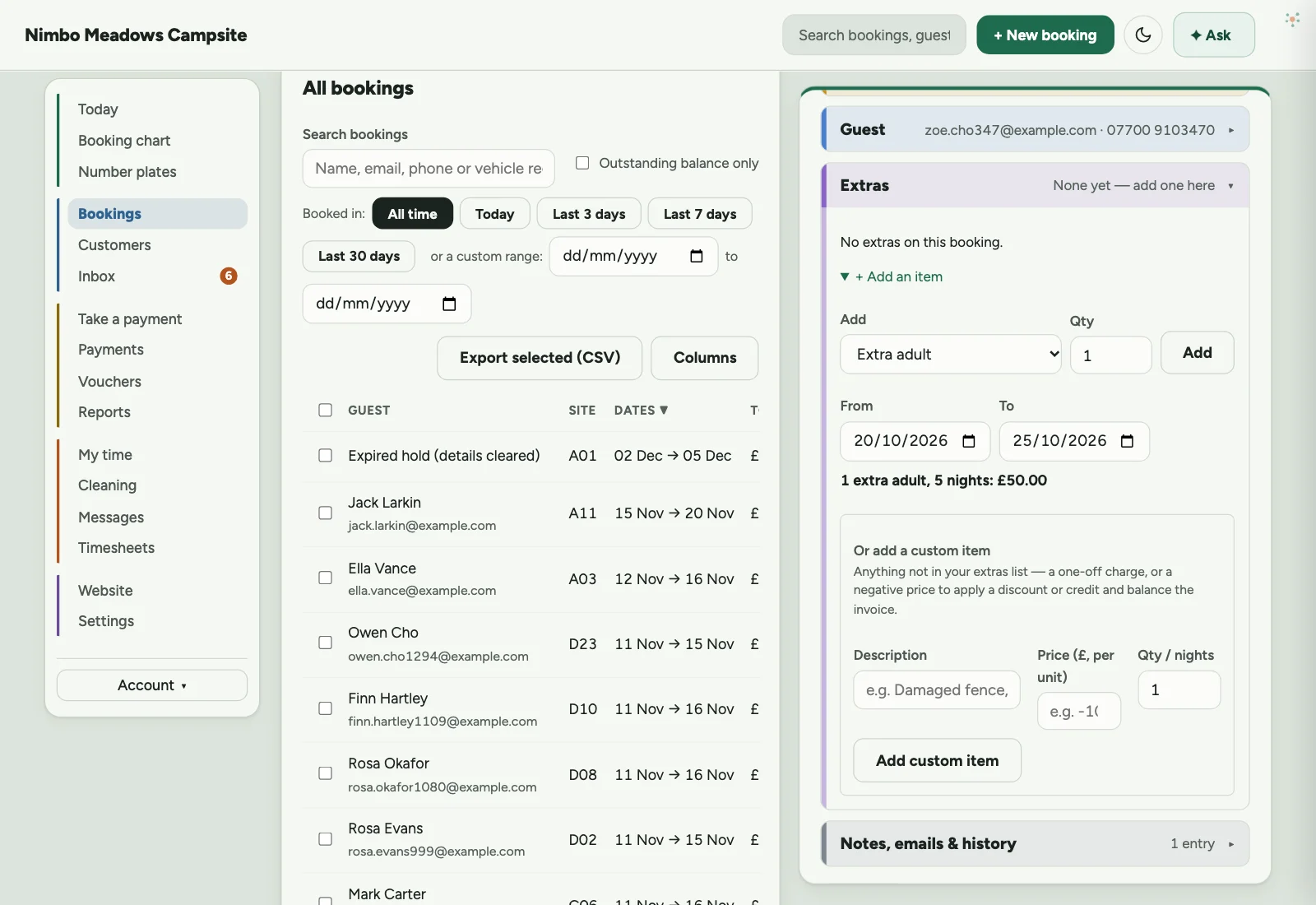
    Nimbo Stay: Add people screen. Someone joining for the weekend? Add an extra adult, child or dog for just those nights, priced from your season rates.
  6. 06

    Customer record

    Click a guest and their record slides out at the side: contact details, every email they use, any credit, their members’ club membership and their stays.
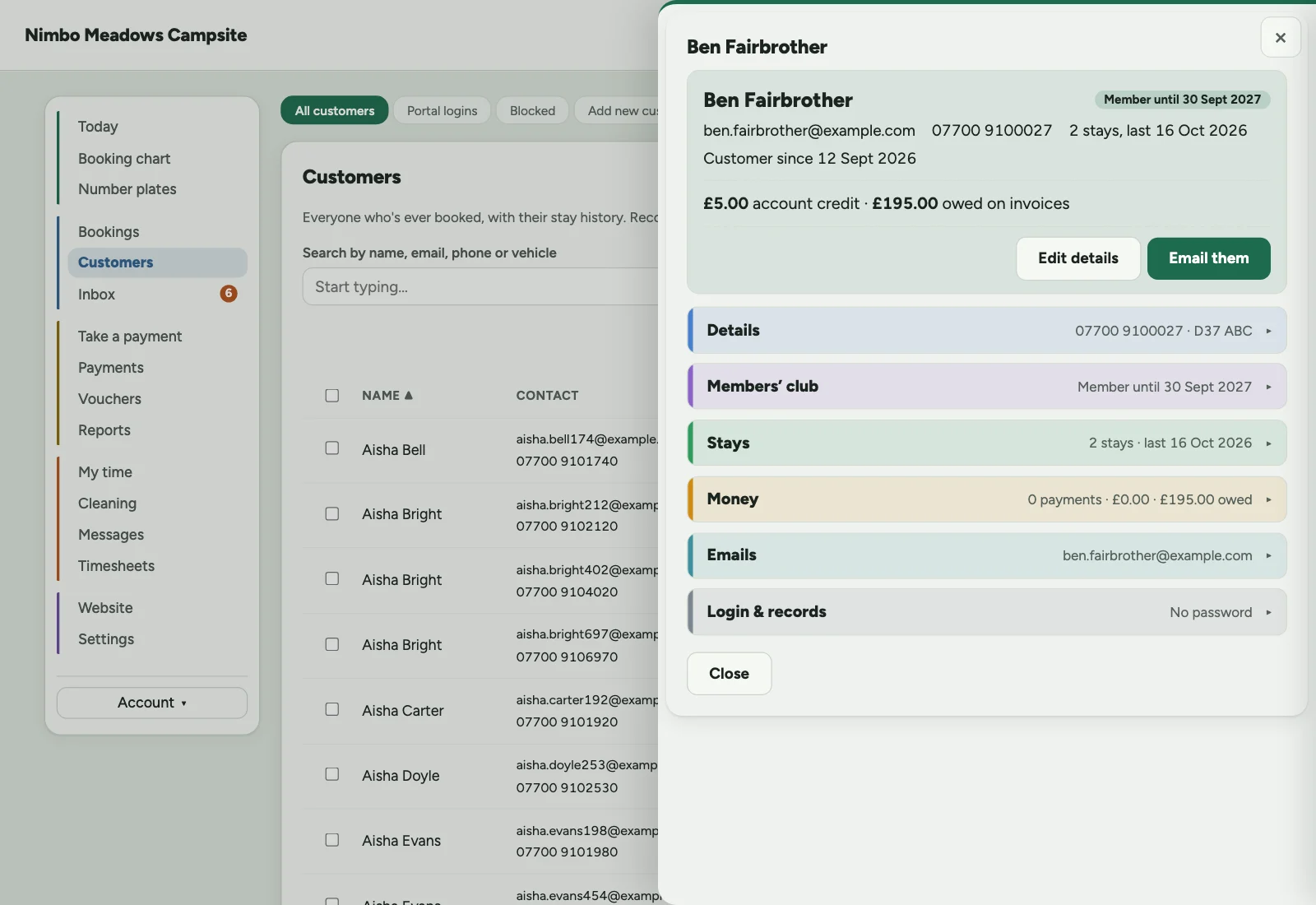
    Nimbo Stay: Customer record screen. Click a guest and their record slides out at the side: contact details, every email they use, any credit, their members’ club membership and their stays.
  7. 07

    Phone booking

    Take a phone or walk-in booking. The pitch list only shows pitches free for those dates.
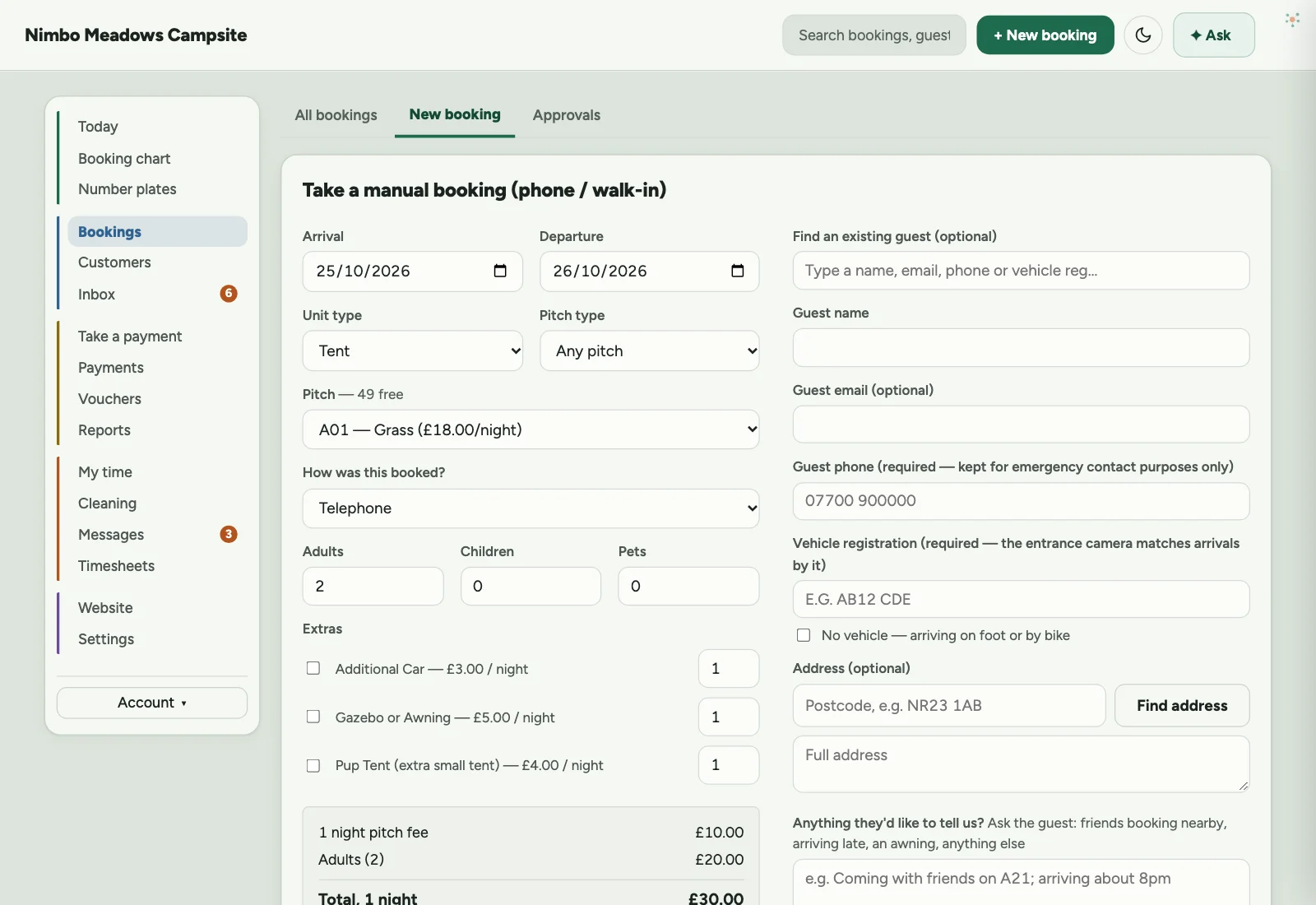
    Nimbo Stay: Phone booking screen. Take a phone or walk-in booking. The pitch list only shows pitches free for those dates.
  8. 08

    Reports

    Bookings taken, occupancy, and revenue by pitch type and by month.
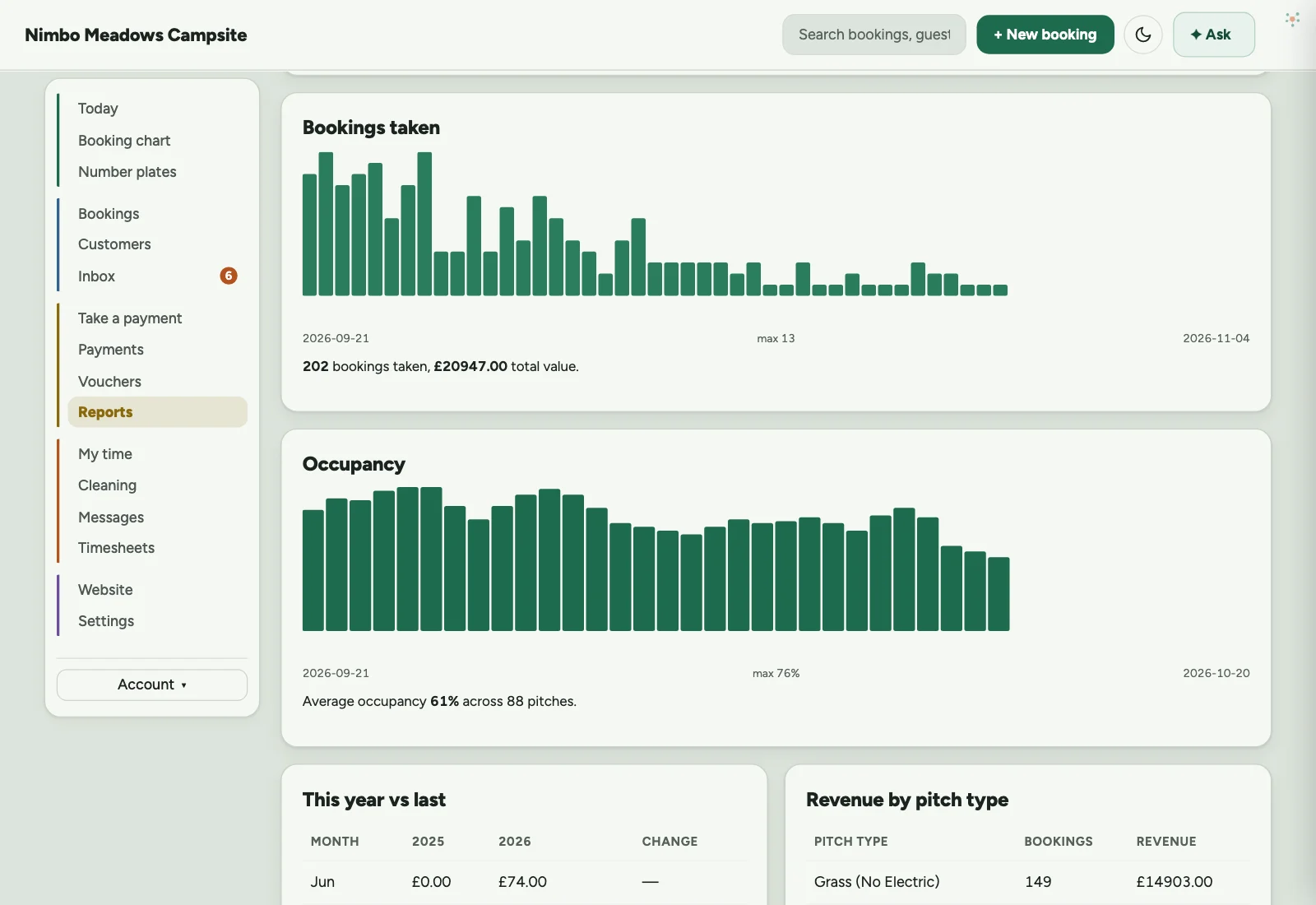
    Nimbo Stay: Reports screen. Bookings taken, occupancy, and revenue by pitch type and by month.
  9. 09

    Shop

    Ring up gas, firewood and extras at the counter, with stock photos and VAT rates.
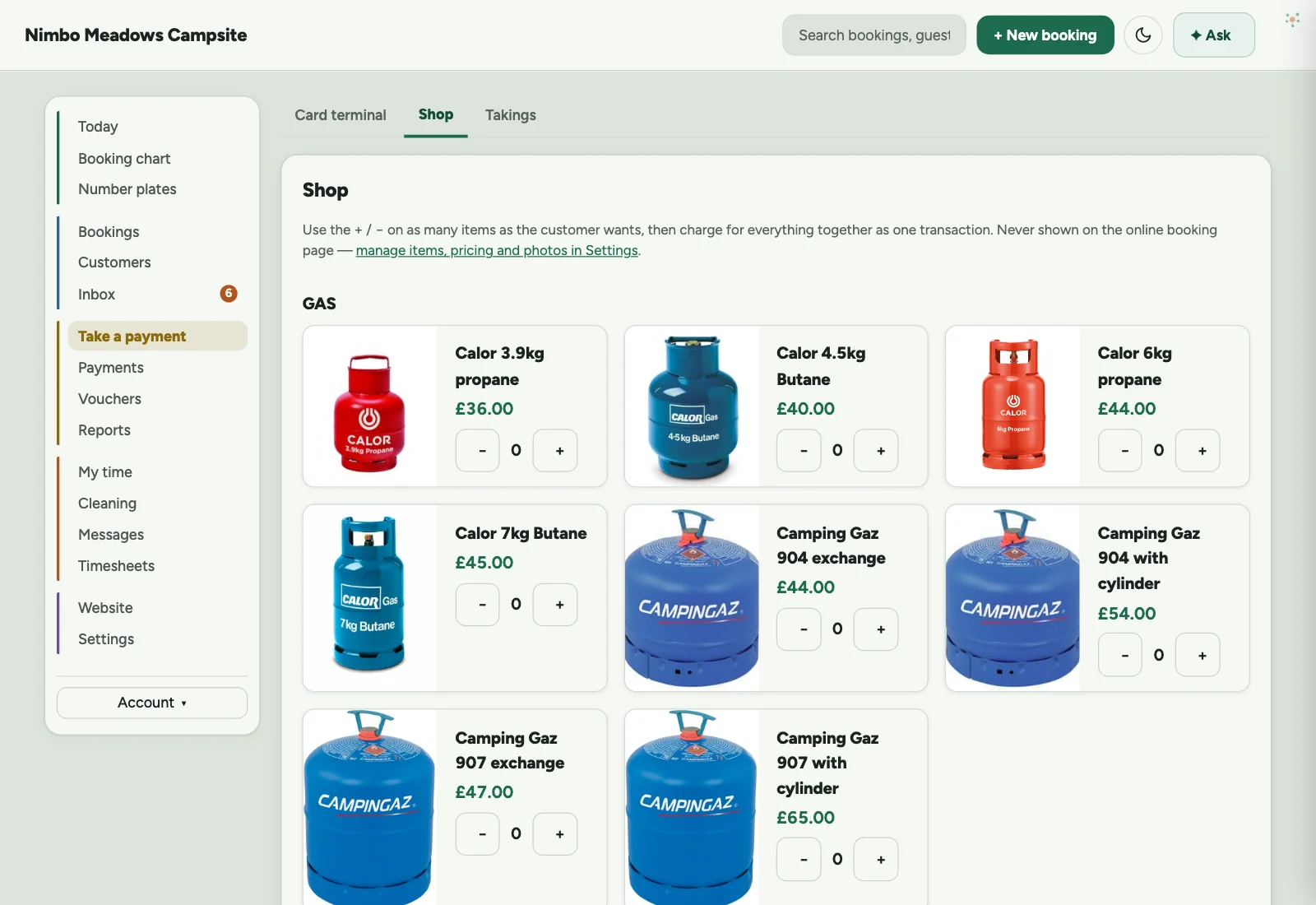
    Nimbo Stay: Shop screen. Ring up gas, firewood and extras at the counter, with stock photos and VAT rates.
  10. 10

    Card terminal

    Charge a card over the phone or on a reader, against a booking or on its own.
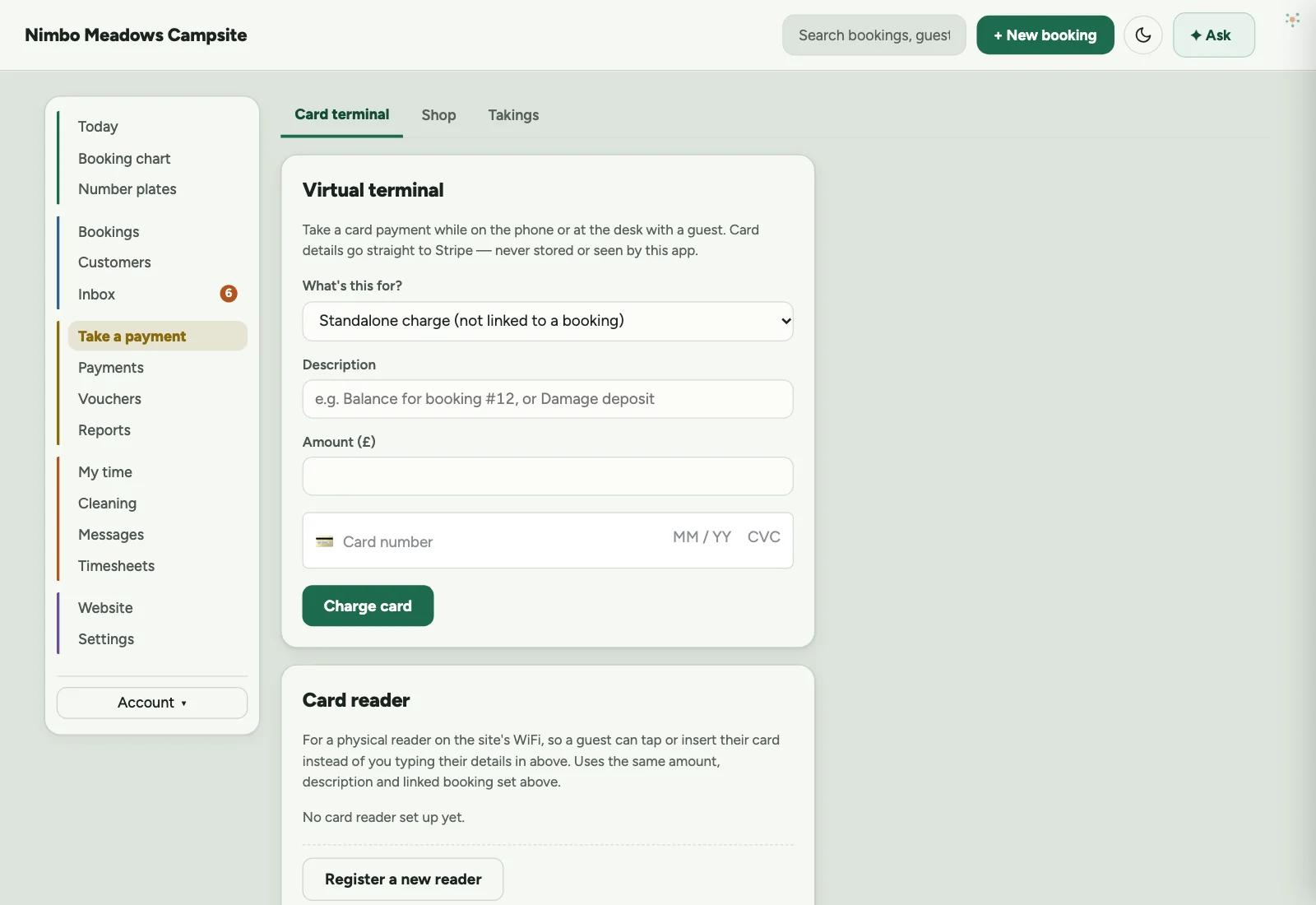
    Nimbo Stay: Card terminal screen. Charge a card over the phone or on a reader, against a booking or on its own.
See all 17 screens, in light and dark

A tour of the office

The booking chart, today’s diary, AI-drafted email replies and reports, then settings and planning next year’s seasons, on a site with 88 pitches. The menu keeps the everyday screens up front, and folds the rest away until you need it.

Before you go

Anything we can help with?

Watch Nimbo Stay work

Real screens on a made-up campsite. Get this for my site →

Esc

Can’t find it? Ask us.